White noise
Bright and steady, like a radio between stations. Masks outside noise well.

Your sound. Your focus. Your calm.
Noisely mixes calming sounds that your phone creates on the spot. So you never hear the same short loop over and over. Pick your sounds, set a timer and put your phone down.
Sixteen sounds
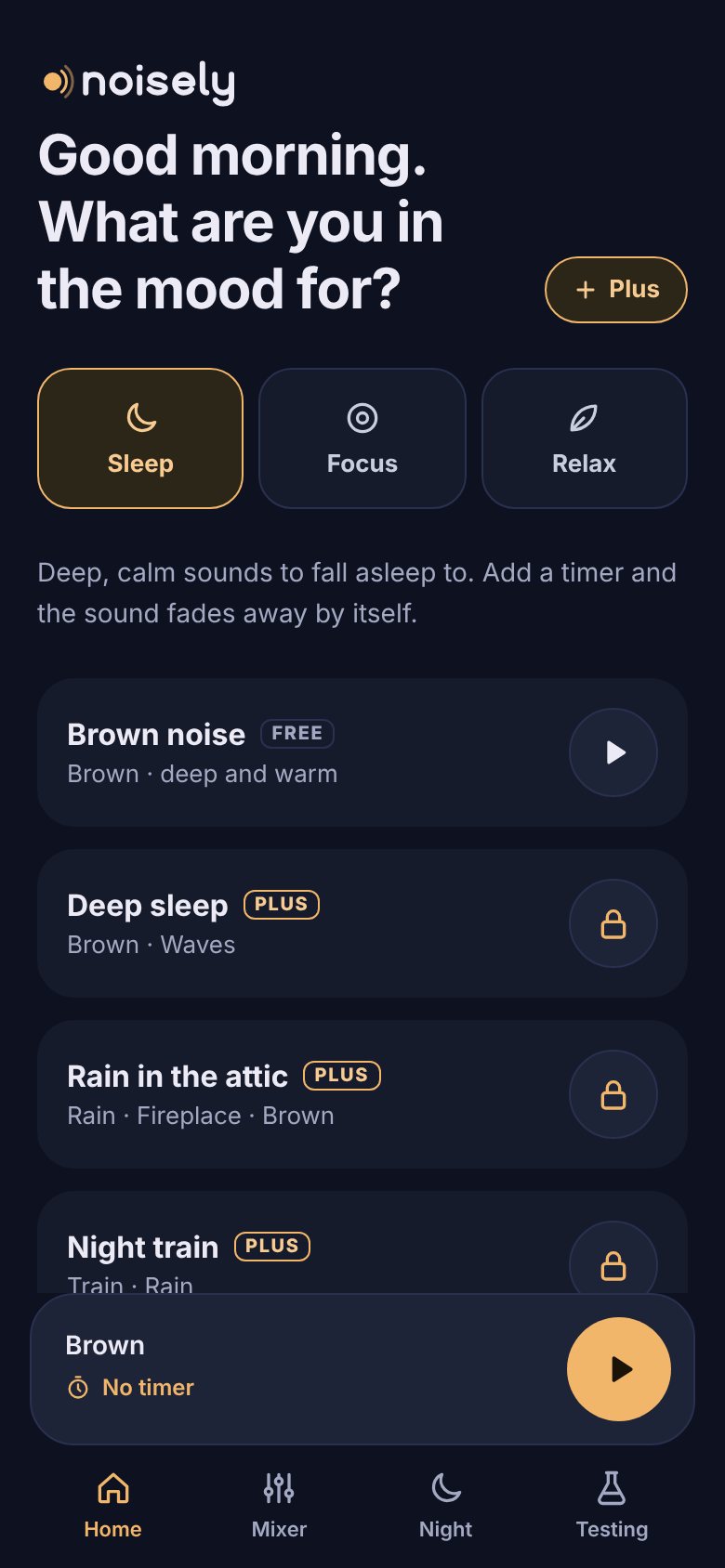
White, pink and brown noise are free. Tap the play button to hear a sound. With Plus you can combine every sound, each with its own volume: rain with a fire in the background, or a stream in the woods.
Bright and steady, like a radio between stations. Masks outside noise well.
Softer in the high tones than white noise. Many people find it nicer to sleep to.
Deep and warm, like an aeroplane cabin or a distant waterfall.
A gentle shower with single drops that never fall the same way twice.
A gentle shower with the occasional rumble of thunder far away.
Surf rolling in and drawing back, in a calm and slightly irregular rhythm.
Wind that swells, whistles past the window and settles again.
Leaves rustling in the wind, with the odd bird in the distance.
Water babbling over stones, with little bubbles that always sound different.
A warm summer evening with crickets chirping in the grass.
The low rumble of a fire, with crackles and the occasional pop.
The constant whir of a fan, with a soft hum underneath.
The even blowing of an air conditioner, with the low hum of its compressor.
Soft chatter and the clink of cups, like a quiet coffee shop.
The rhythm of wheels on the rails and the gentle sway of a night train.
The deep, steady roar of the cabin on a long flight.
Sleep, focus, relax
Choose what you want to do and Noisely suggests a mix. During the day the app opens on focus, in the evening on sleep.
Deep, calm sounds to fall asleep to.
A steady background for work, study or reading.
Nature to unwind with.
Generated live
Most sound apps play a recording of a few minutes, over and over. After a while you hear the same drop or wave come back, and from then on that repetition is all you hear.
Noisely records nothing. Your phone calculates every sound itself, with a touch of chance: where a drop falls, how high a wave rises, when the fire crackles. That makes it sound alive, keeps the app under 100 kB and lets it work without internet.
A bit of rain, as Noisely calculates it. Different every time.
Made for the night
Turn sounds on and off with a tap and give each one its own volume.
Choose 15 minutes to 2 hours. At the end the sound slowly fades over 1, 5 or 15 minutes, so you don't wake up with a start.
Work in rounds of, say, 25 minutes with a 5 minute break. A soft chime marks each switch.
An extra dark screen with just the time left. Lock it so a sleepy hand or a child can't change anything by accident.
After the first visit Noisely works without internet too, on a plane or on holiday.
Your mixes and settings stay on your own phone. No ads and no tracking cookies.
Install
Noisely works in your browser, but as an app on your home screen it opens faster, full screen and without an address bar. No app store needed.
Pricing
The free version plays all night, without ads. Plus gives you every sound and your own mix.
Plus will be available soon. Prices are introductory and include VAT. We only use your email address for that one email; see the privacy statement (in Dutch). A yearly plan costs 27% less than twelve separate months.
Frequently asked questions
It comes down to the balance between high and low tones. White noise has equal energy everywhere and sounds bright and hissy. Pink noise gets quieter as the pitch rises, so it sounds rounder. Brown noise goes further still and sounds deep and rumbling. Try all three: which one feels nice differs from person to person.
White, pink and brown noise are free, with no time limit and no ads. Noisely Plus, with every sound, mixing, the focus block and saved mixes, is coming soon for € 3.99 a month or € 34.99 a year.
On Android, yes, even with the screen locked. You can control Noisely from the lock screen.
On iPhone it depends on your iOS version, because Apple gives web apps less freedom in the background. Add Noisely to your home screen for the best chance. Under Testing the app keeps a log, so you can see whether playback was interrupted.
Only the first time, to load the app. After that your phone makes every sound itself and Noisely works offline too.
Many parents use noise to help their baby sleep. Keep the volume low and place your phone at a distance, never in the cot or right next to your baby's head. Noisely has a baby mode for this: it caps the volume at 40% and lets the sound swell in gently. If in doubt, ask your health visitor or doctor.
Not about you personally. There is no account and there are no tracking cookies. Your mixes and settings stay on your own device. We only count, anonymously, how many people use the site and the app. Read more in the privacy statement (in Dutch).
Yes. Noisely works in every modern browser, such as Chrome, Edge, Safari and Firefox. Handy for focusing while you work or study.